How to Make an Outstanding Tiny Desk AI Video With Your Photos
To make an Outstanding Tiny Desk AI video, upload a front-facing photo for the lead singer, add a friend if you like, pick 720p or 1080p, and generate. You get a 15-second vertical video of the Tiny Desk scene with your faces and AI-generated sound, usually in about 13 minutes, right in your phone’s browser.
One photo, and you star in the video
You have left · 1 video $9.99 · or 3 for $24.99 · 1 video in 1080p $24.99 · or 3 for $69.99 · see pricing
4s · 480p · watermark · 1 per account
Quick check before your free preview
What you need to make an Outstanding Tiny Desk AI video
- One or two photos. One person per photo, face clearly visible. JPG, PNG or WebP, up to 10 MB.
- A phone or computer. It runs in the browser on iPhone, Android and desktop. There’s no app to install and no editing to do.
- Price. You pay per video: a Standard 720p video starts at $9.99 and an HD 1080p video at $24.99. One or two photos cost the same.
- Consent. You must be 18 or older, and every photo must be of you or of someone who agreed to be in the video.
You don’t write a prompt, the text instructions some AI tools ask for. The desk, the band, the four camera shots and their timing are already set up.
How to make an Outstanding Tiny Desk AI video in 3 steps
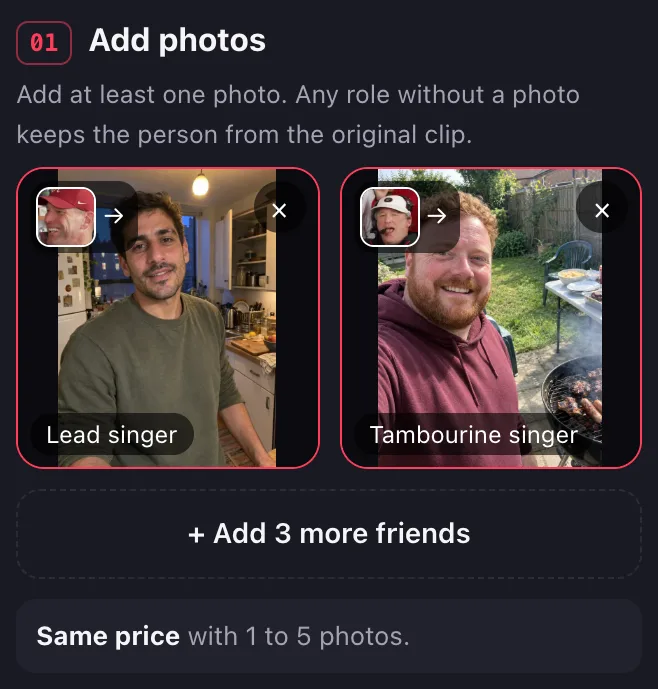
1. Upload your photos
The generator has two spots: the lead singer and the tambourine singer at the front. Put a photo in at least one spot. Any spot without a photo keeps the person from the original clip.
2. Pick 720p or 1080p
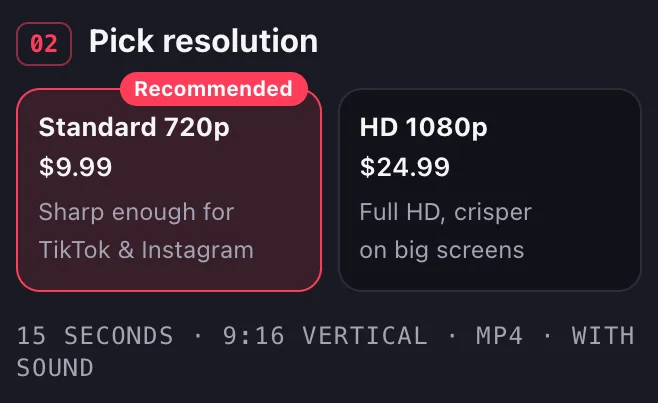
Every video is 15 seconds in 9:16 vertical, so there’s no shape to pick. Standard 720p (from $9.99) is the default and is sharp enough for TikTok and Instagram. HD 1080p (from $24.99) is for bigger screens or further editing. The price shows before you generate.
3. Sign in, make the video and download it
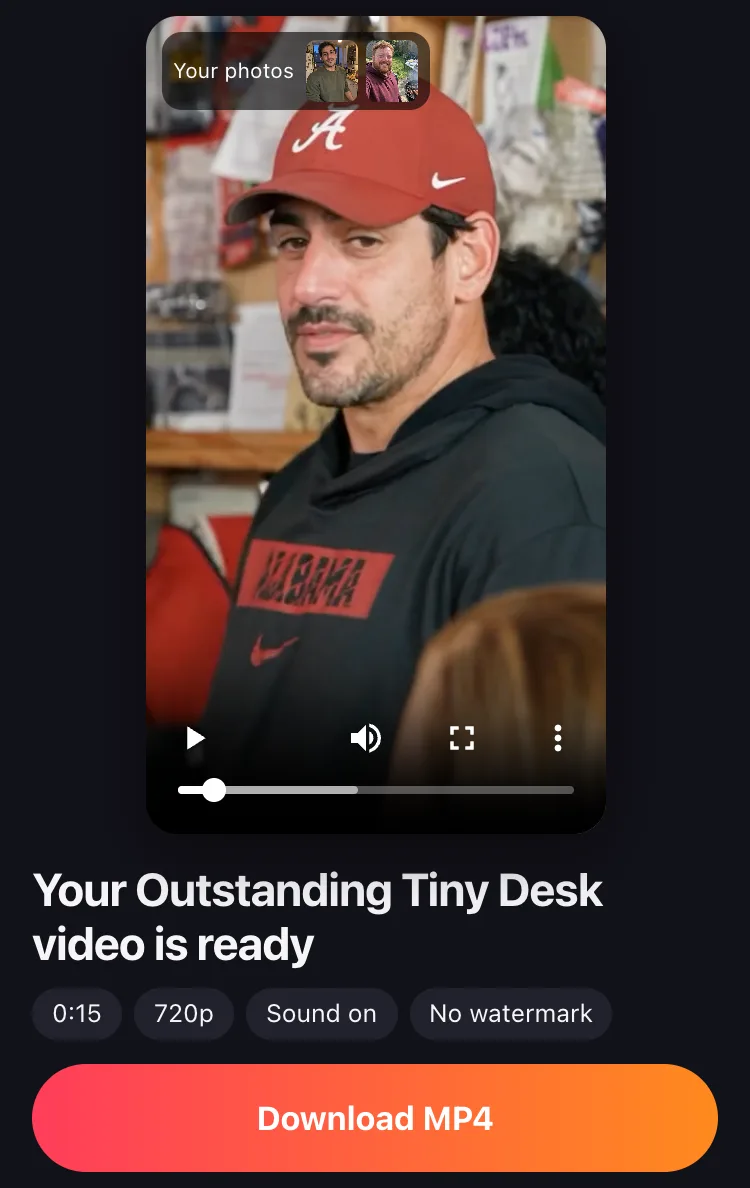
Tick the box confirming you’re 18 or older and everyone in the photos agreed, then select Sign in to generate and sign in with Google or with a link sent to your email. You pay before the video is made: it comes out of your balance, the videos you’ve bought and haven’t used yet, and if your balance is empty the button reads “Buy a pack to make it”. We email you when the video is ready, usually in about 13 minutes, so you can leave the page. Download the MP4 with AI-generated sound and no added watermark, plus a silent copy at no extra cost. Want to see your faces first? Sign in with Google and you can try one free 4-second preview before you pay; what’s free and what isn’t.
One photo or two: who goes where
One photo is enough. You can fill two spots, the lead singer and the tambourine singer, and each photo replaces one person. The other three people in the band stay as in the original clip. The clip cuts between them in four shots:
| Spot | When it’s on screen | Good for |
|---|---|---|
| Lead singer | 0–1.4 s, then the big-laugh close-up from 6.7 to 13 s: about 7.7 seconds in all | You, or the friend the video is for |
| Tambourine singer, front row | The full-band shot, 1.4–6.7 s, front and center; the lower half of the face again in the corner of the sax shot | The friend who sings along to everything |
| Back-row singers, left and right | The full-band shot, 1.4–6.7 s, behind the tambourine singer | Stay as in the original clip |
| Sax player | The solo close-up from 13 s to the end, about 2 seconds | Stays as in the original clip |


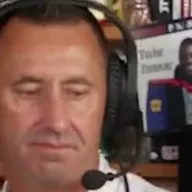

- One photo. Put it in the lead singer spot. The tambourine singer, the sax player and the two back-row singers stay as in the original clip.
- Two photos. Lead singer and tambourine singer, as in the example above: the two spots on screen the longest.
The keyboard player at the bottom left shows only a hand, so there’s no spot for him. The free preview covers the first 4 seconds, where both the lead singer and the tambourine singer appear.
Make your Outstanding Tiny Desk videoPhoto tips for a better likeness
The clearer the photo, the more the video looks like you. Check these before you upload.
Use a front-facing, evenly lit photo
Face the camera with your whole face in the frame. Daylight from a window works. No sunglasses, masks or heavy filters.
One person per photo
In a group photo it’s unclear which face to use. Crop out everyone else, and upload one photo per spot.
Put the strongest photo on lead
The lead singer gets the close-up and the big laugh, so use your sharpest photo there.
How long it takes
About 13 minutes. You can leave the page; we email you when it’s ready.
- Show your upper body if you can.
- Use the original photo, not a screenshot or a photo of a screen.
The AI takes your face, hair, skin tone and age from the photo, and keeps the outfit, pose and moves of the person you replace. What you wear in the photo doesn’t matter.
Resolution and price
| Standard 720p | HD 1080p | |
|---|---|---|
| Length | 15 seconds | 15 seconds |
| Shape | 9:16 vertical | 9:16 vertical |
| Price for one video | $9.99 | $24.99 |
| Photos | 1 or 2, same price | 1 or 2, same price |
| Good for | TikTok, Reels, Shorts | Big screens, further editing |
Video packs: $9.99 for 1 video, $24.99 for 3 videos ($8.33 each), $69.99 for 10 videos ($7.00 each). You pay once, with no subscription, and videos you buy never expire. If a video fails, it goes back to your balance automatically. See pricing for refunds.
Posting your Outstanding Tiny Desk video on TikTok and Reels
- The MP4 is 9:16 vertical, so it fills the screen on TikTok, Reels and Shorts.
- It comes with AI-generated sound. To use the original “Outstanding” recording, post the silent copy and add the song from TikTok’s or Instagram’s music library, if it’s there. TikTok makes library sounds available for personal, non-commercial videos.
- Label it as AI-generated when you post. TikTok’s Community Guidelines require creators to label AI-generated content that shows realistic-looking scenes or people, and unlabeled content may be removed, restricted or labeled by TikTok.
- Tag the people in it only if they agreed to be in the video.
The song, and how the AI clips line up with NPR’s 2023 video, are on our Charlie Wilson Tiny Desk “Outstanding” page.
Do I need editing skills or a CapCut template?
No. A CapCut template is an edit someone else made: your photos or clips go into its slots, and the Tiny Desk scene itself doesn’t change. To have your face at the desk, singing and laughing in the same shots, the scene has to be made again with your photo, which is what an AI video does. You upload, generate and download; there’s nothing to cut or line up.
It doesn’t look like me: what to do
- Check the photo against the tips above: a side angle, sunglasses, a filter or a small face in a group shot gives the AI less of your face to work with.
- Pick a different photo: sharper, straight-on, in even light.
- Make the video again. Each time you make one, you get a new video, and a different photo can fix a flaw the first one had.
A video goes back to your balance automatically when it fails or is blocked. A video that was made successfully is used up, even if you don’t like the likeness, so pick your best photo first. The free preview is a way to check faces before you pay, but the full video is made again from the same photos, so faces and details can differ from the preview.
Make your Outstanding Tiny Desk AI video
Upload your photos in the generator at the top of this page, or open the Outstanding Tiny Desk AI template. New to the meme? Read where the Outstanding Tiny Desk meme came from. Weighing other tools? See Outstanding Tiny Desk AI generators compared.
Outstanding Tiny Desk AI video FAQs
How can I make the viral Outstanding Tiny Desk AI video?
Upload a front-facing photo for the lead singer, add a friend as the tambourine singer if you like, pick Standard 720p or HD 1080p, then sign in and generate. You get a 15-second 9:16 MP4 with AI-generated sound, usually in about 13 minutes.
Where can I find an Outstanding Tiny Desk AI video generator?
Right here: the generator at the top of this page makes the scene from your photos, and the Outstanding Tiny Desk AI template page has the same generator. It runs in your browser, with nothing to install.
Can I create an Outstanding Tiny Desk AI video from just one photo?
Yes. One photo for the lead singer is enough, and every spot without a photo keeps the person from the original clip. One or two photos cost the same.
Can I create an Outstanding Tiny Desk AI video on my iPhone or Android?
Yes. It runs in the browser on iPhone, Android and desktop, with no app to install. Pick photos from your camera roll and download the MP4 to your phone.
What is the easiest way to make an Outstanding Tiny Desk AI video without editing skills?
Use a generator that has the scene preset, like the one on this page: upload a photo, select Make my video and download the finished 15-second MP4. There’s no prompt to write, no template to fill and no clips to cut.
Is there a free Tiny Desk AI video generator?
Only a preview is free here. Sign in with Google and you can try one free preview: 4 seconds at 480p, lower quality than the full video, with sound and a watermark, one per account, which you can watch but not download. The full 15-second video is paid; see what’s free.
Can I use photos of other people or celebrities?
Only people who agreed to be in the video, famous or not. Don’t post a generated performance as if it really happened, and don’t use someone’s face to pretend to be them.
Outstanding Tiny Desk AI is an independent tool. It isn’t affiliated with NPR, Tiny Desk, Charlie Wilson or The Gap Band. Tiny Desk is a registered trademark of NPR.
Sources
- NPR, “Charlie Wilson: Tiny Desk Concert” (June 5, 2023)
- TikTok Community Guidelines, Integrity and Authenticity
- TikTok, U.S. Music Terms of Service, section 3
- NPR, Terms of Use (trademarks)
- Spot timings: the cuts in the first AI clip of the meme, which your video follows, measured October 28, 2026.